The screen in the hallway
What the day calls for, before you head out.
Turn the old iPad into the screen in your hallway. It shows the weather, the electricity price and how the house is doing, and if you have kids, it draws them in what to wear. No new gadget and no app to open.
The basics are free. In our own hallway since September 2025.
Works with SMHI, Tibber, Ngenic, CheckWatt, Zaptec and Sector Alarm.
All day
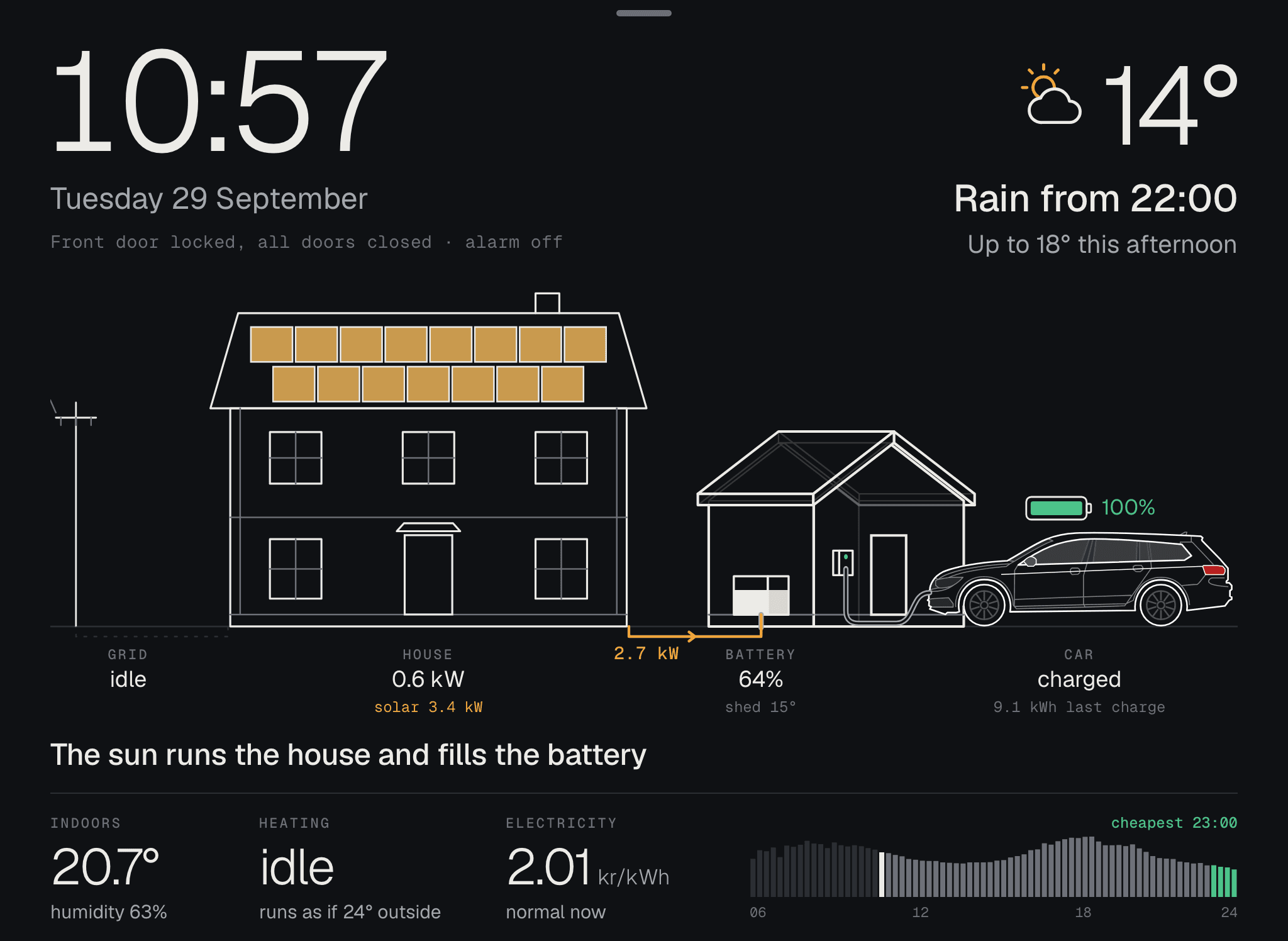
The sun, the battery, the car and the electricity price in one picture.
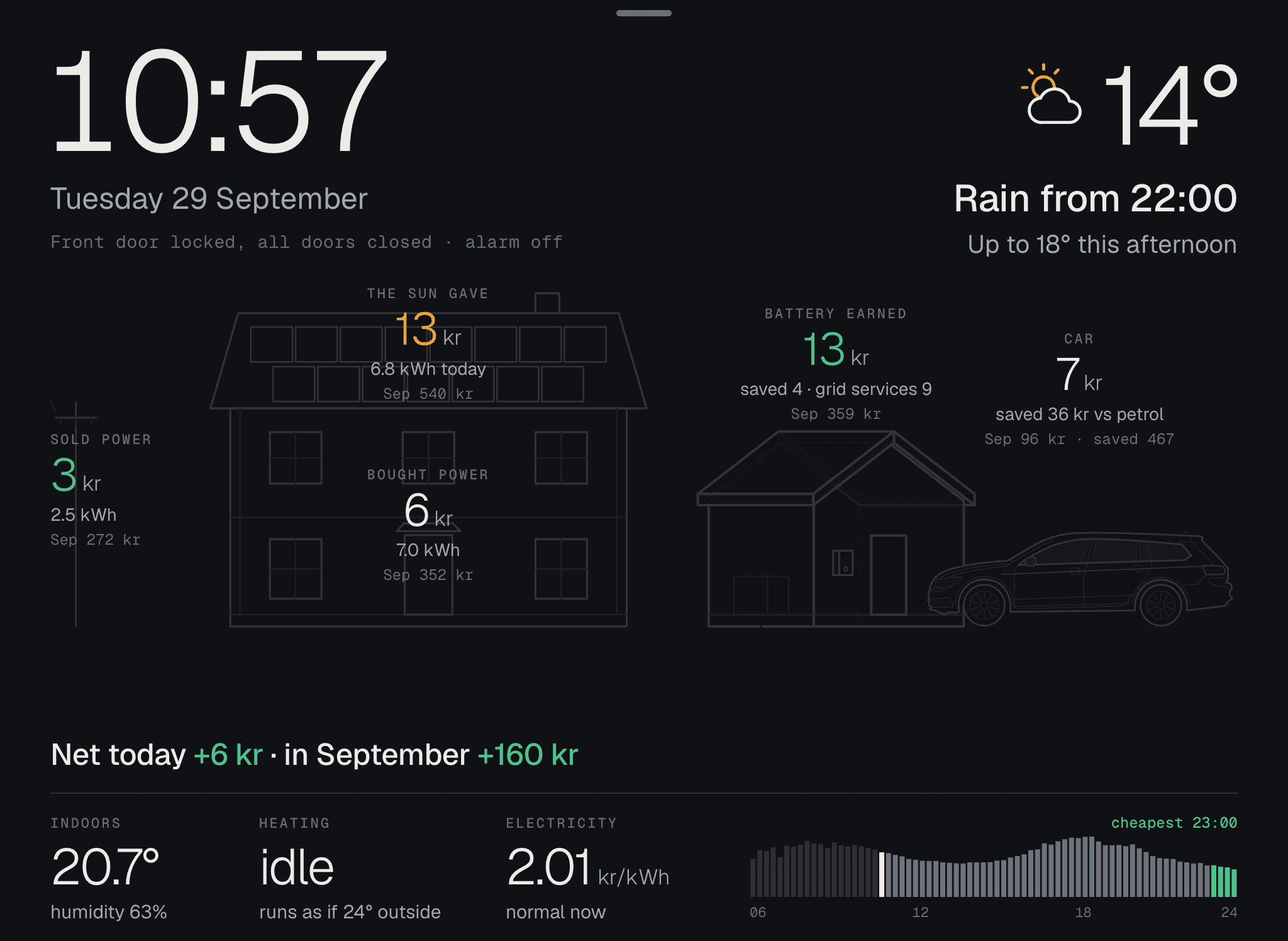
HemOS draws the house. The panels on the roof fill up with how much the sun gives, the arrows show where the electricity goes, and the line below says what is happening right now, in one sentence.
- Doors and alarm
- Front door locked, all doors closed, alarm off.
- Indoors and heating
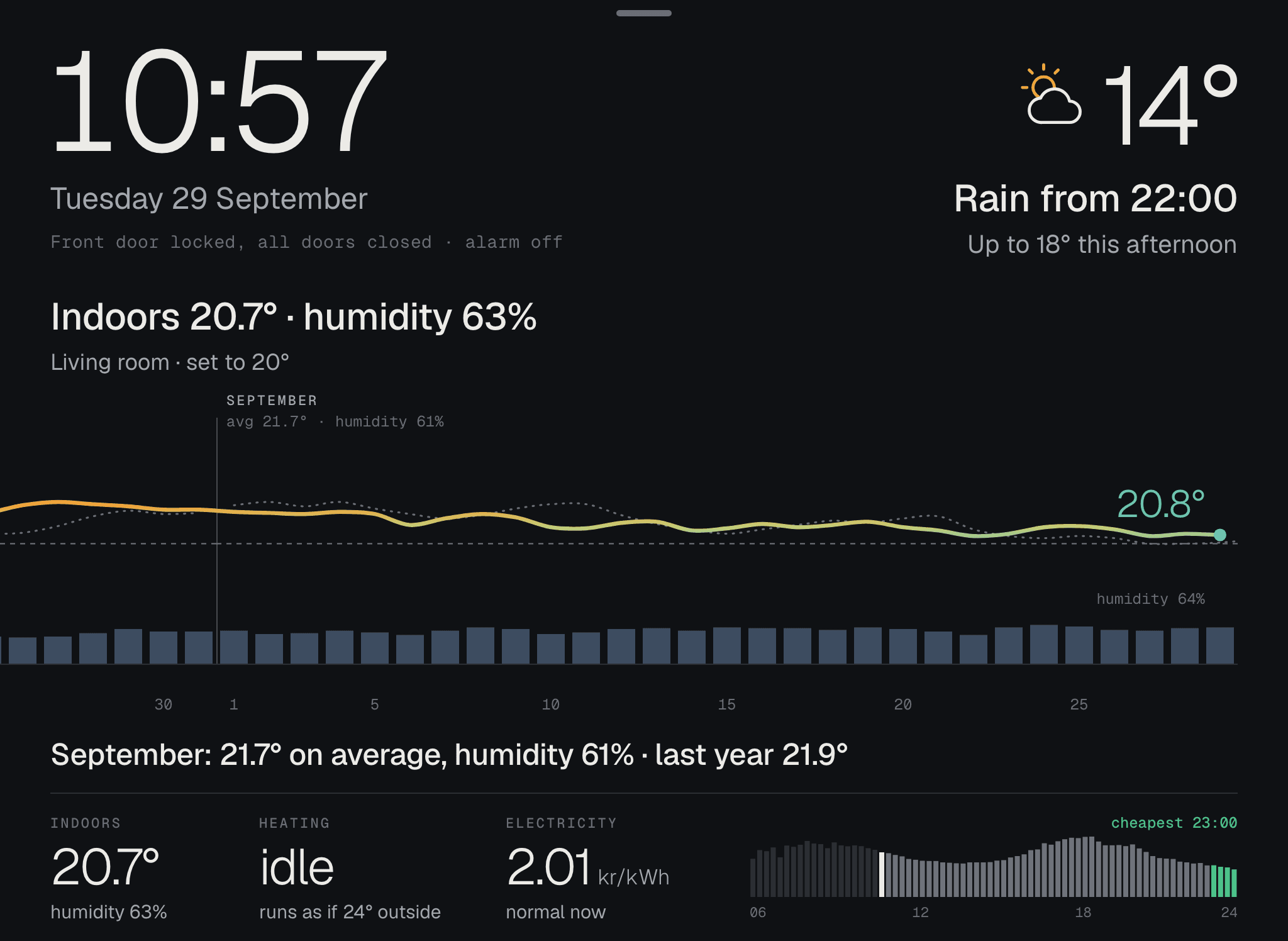
- Temperature and humidity inside, and how the heat pump is running.
- Electricity
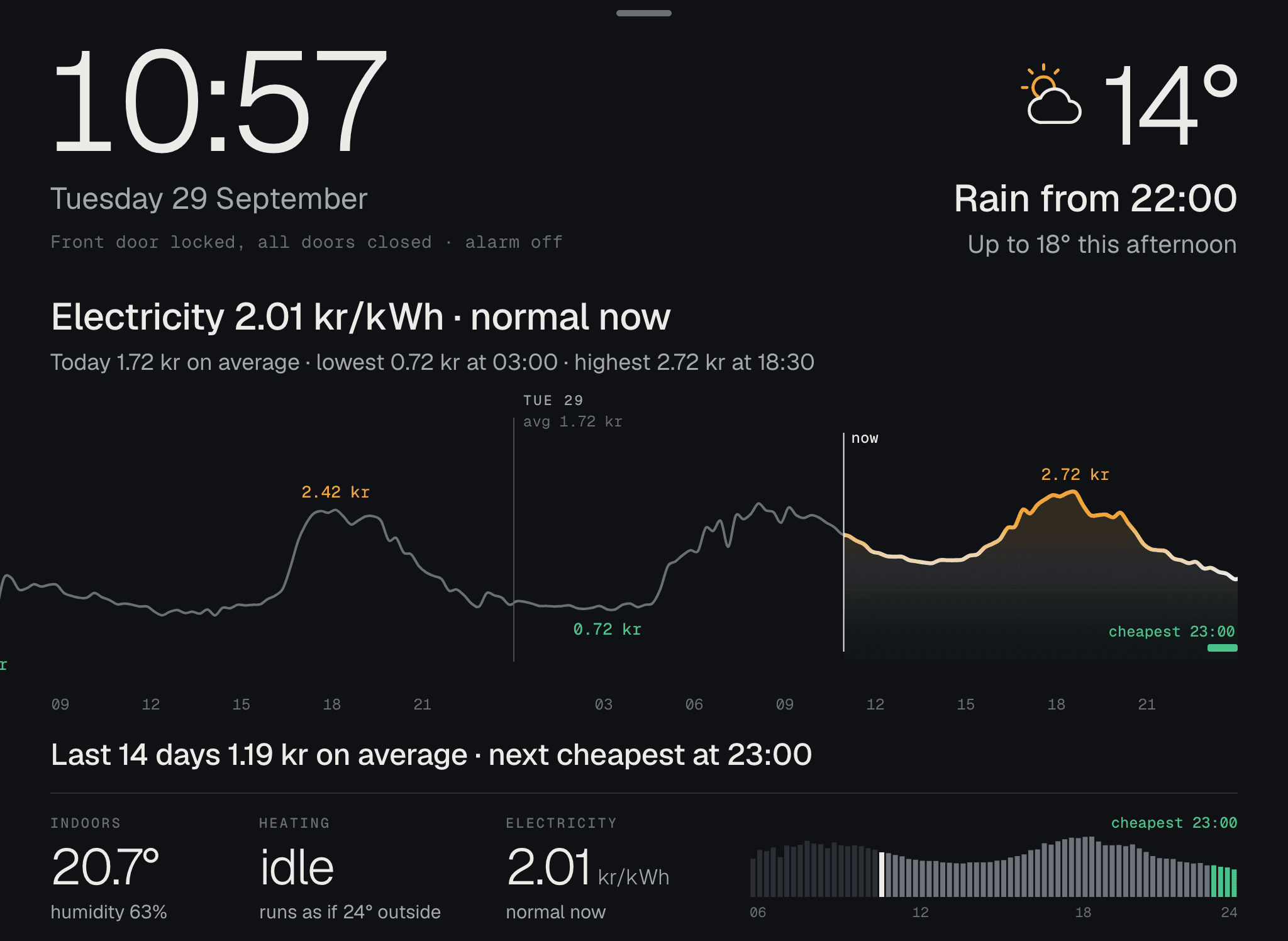
- The price right now per 15 minutes, and when it gets cheapest.
- Sun and battery
- What the solar panels produce and how much is in the battery.
- The car
- Whether it’s charging, and how much has gone in.
- Weather
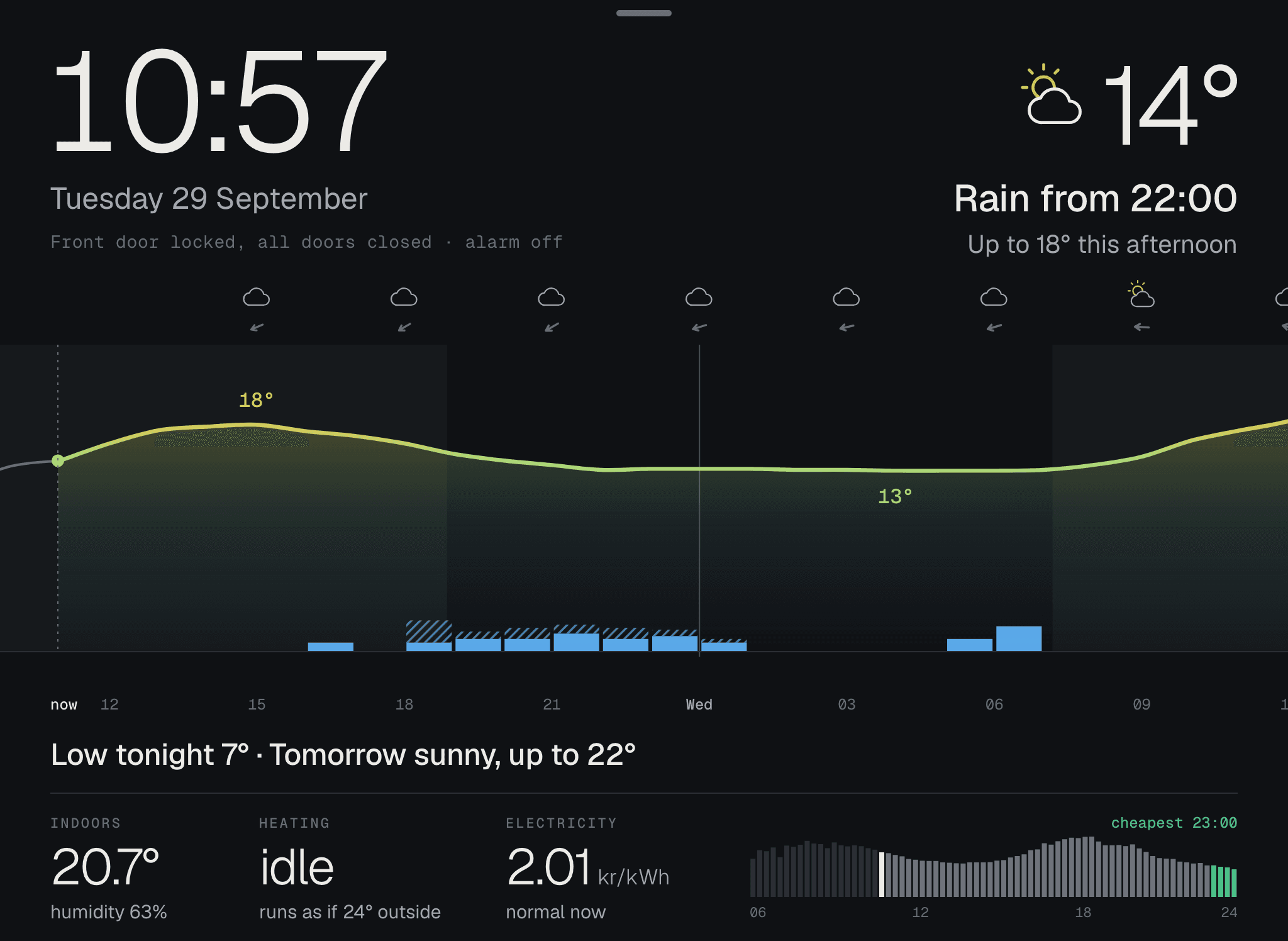
- What’s coming, in words: rain from 10 pm, up to 18° this afternoon.
What we connect to first
Missing yours? Pick it when you join the waitlist, and we build what most people ask for. HemOS only reads: it never disarms the alarm, never unlocks a door and never starts charging.
- SMHIThe weather and the forecast
- TibberThe electricity price and usage
- NgenicThe heating and indoor temperature
- CheckWattThe solar panels and the battery
- ZaptecThe EV charger and the car
- Sector AlarmThe alarm, the locks and the doors
Got kids?
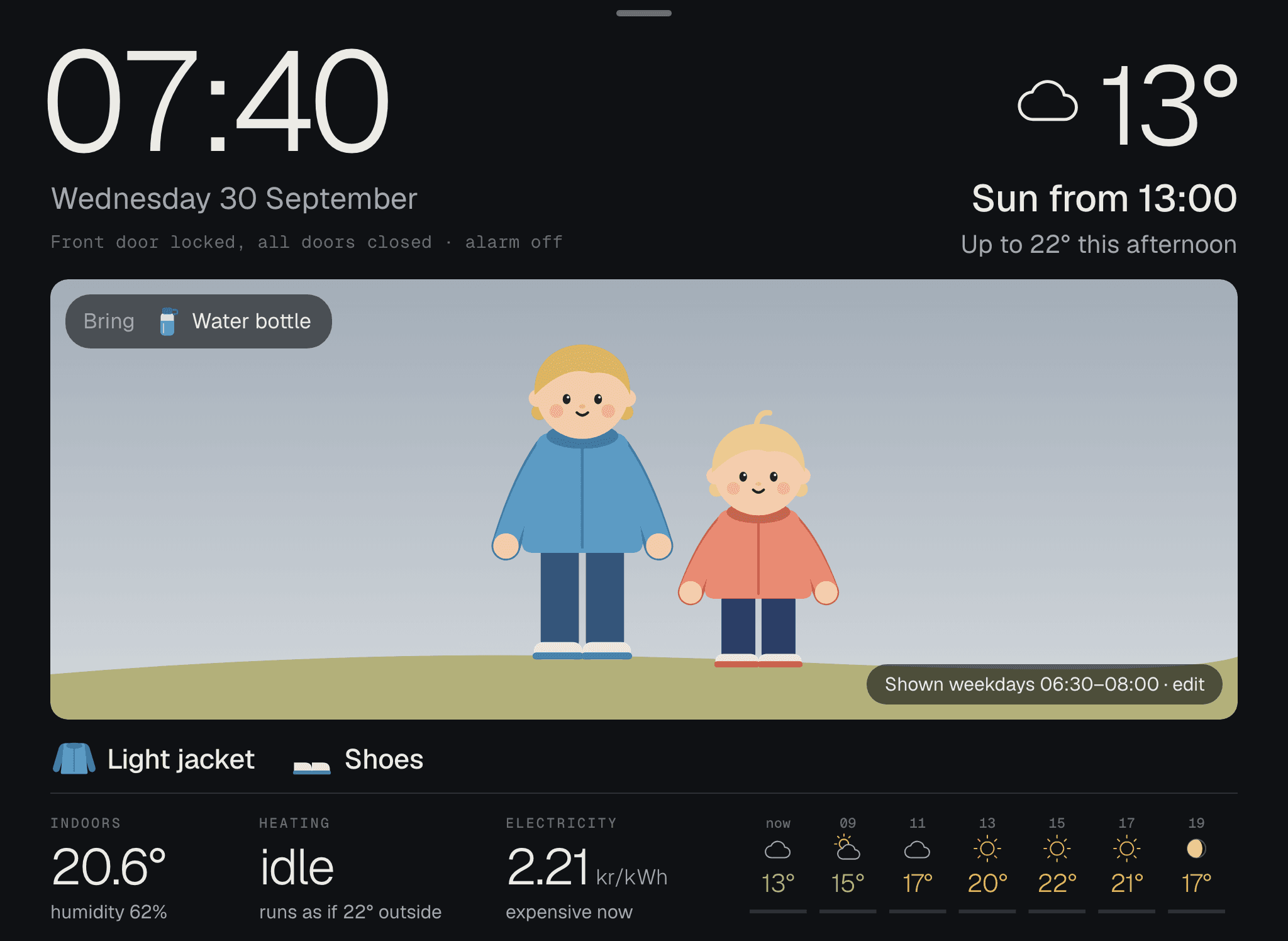
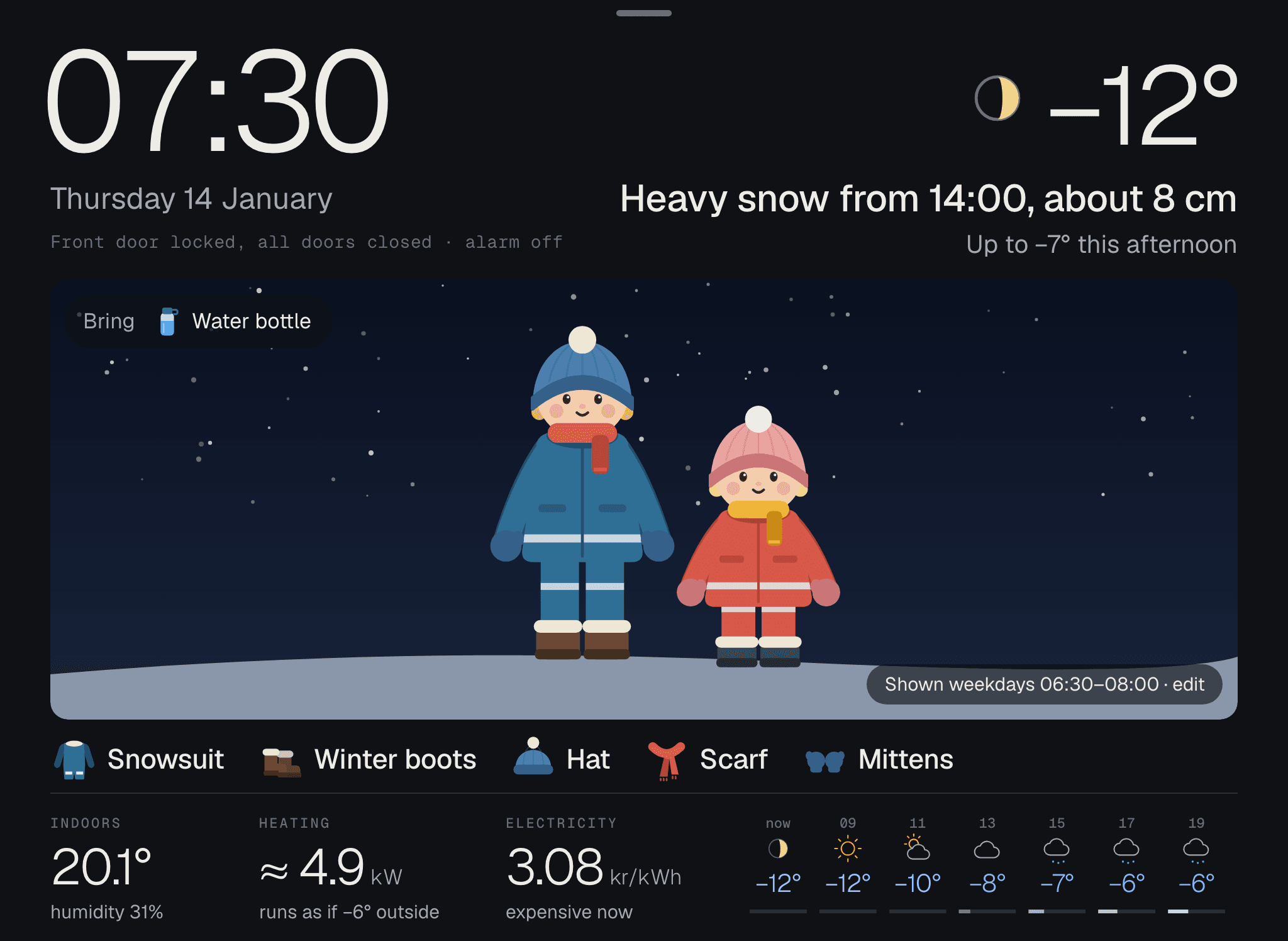
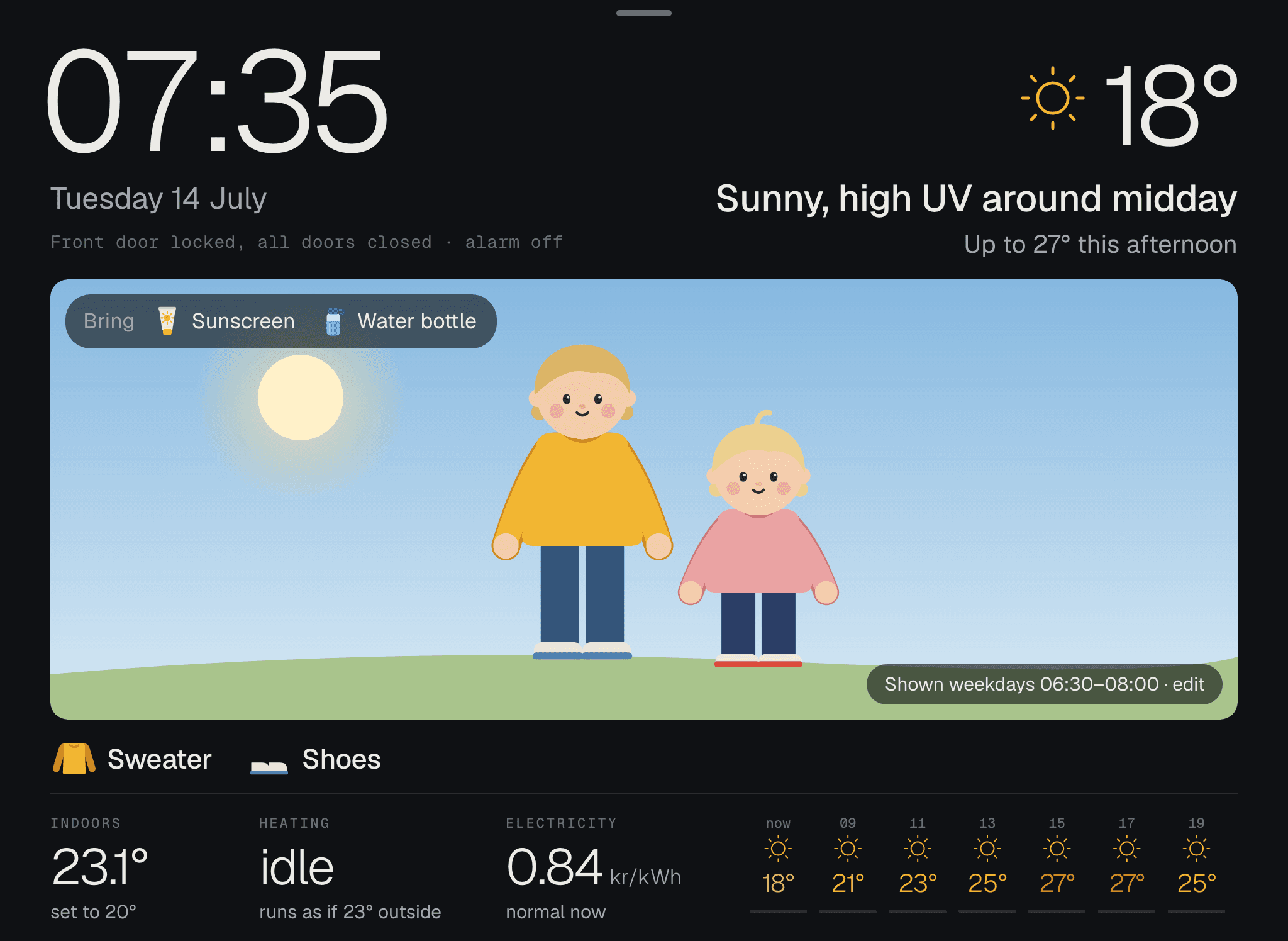
In the morning: the kids, dressed for today’s weather.
When it’s time to leave, HemOS draws the kids in what they should wear. Below the picture, the clothes are listed in words, along with what goes in the bag. You choose when the morning view shows, and without kids at home, you turn it off.
A year in our hallway
Tested through a whole Swedish year.
HemOS has hung in our hallway since September 2025, through autumn rain, snow and summer sun. So the weather, the clothes and the electricity price have been through every season before you try them.
From our hallway
HemOS started as the screen in our own hallway, in September 2025. It quickly became part of the home. The kids look for themselves in the morning and know what to wear without us saying a word, and when I took it down to rebuild it, it wasn’t long before it was missed. That’s why we are making it a product.
Tim Brandin, who built HemOS
“There’s me, and there’s you.”
“It bugs me that you took it down. Want to see the clock and the temp.”
Tap what you’re curious about
There’s more behind every part.
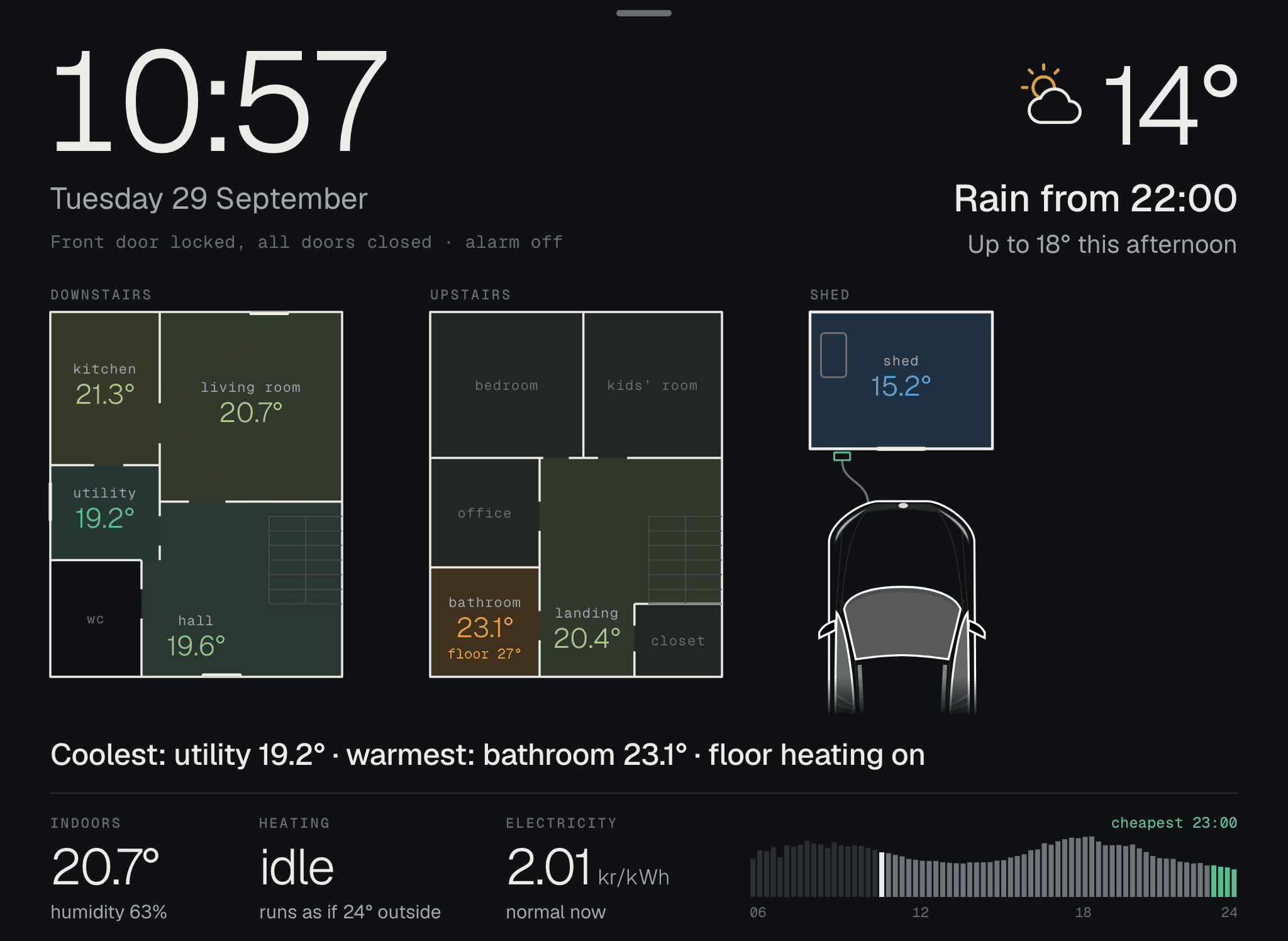
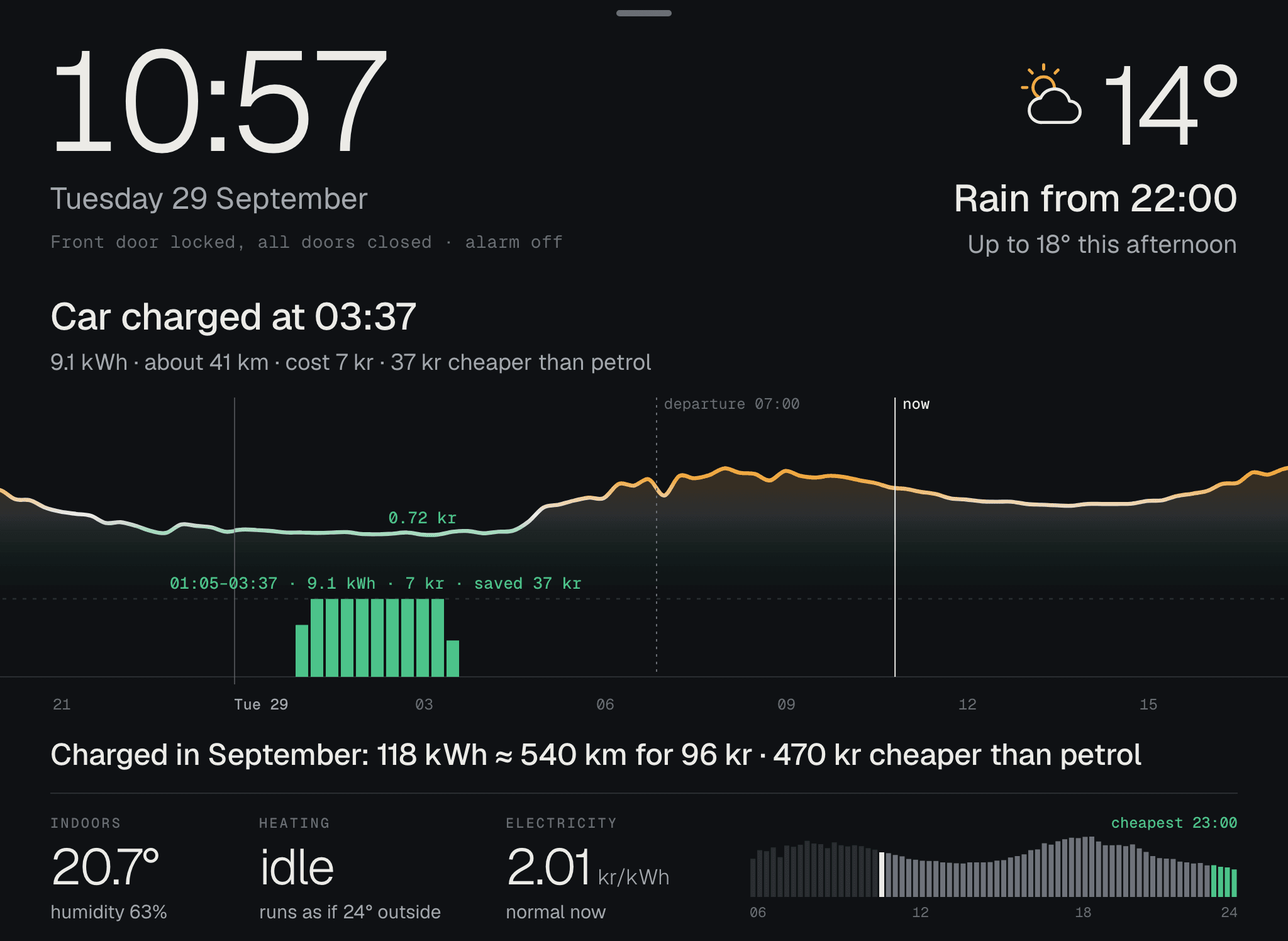
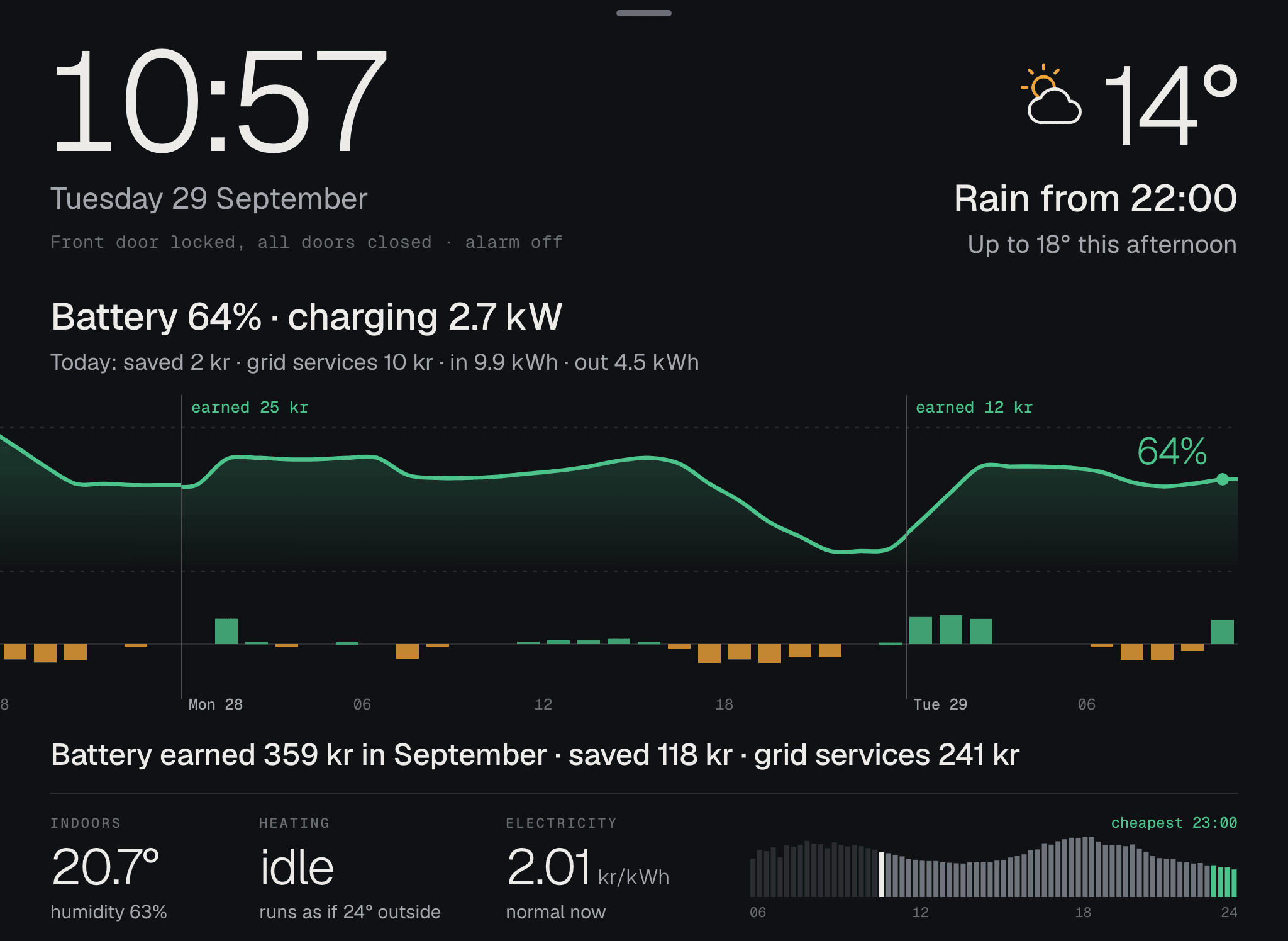
Tap the house to see the heat room by room. Tap the line under the drawing and the money shows up next to each thing. The car shows the charging, the shed the battery and the electricity the price, past and ahead. After a minute the screen goes back on its own.
Your house and your car
Drawn to match your house, your shed and your car.
The screen draws an ordinary house until yours is ready. Tell us about the house and which car you have, and we’ll draw them: the roof with your panels, the shed with the battery and the car by the charger. One home at a time.
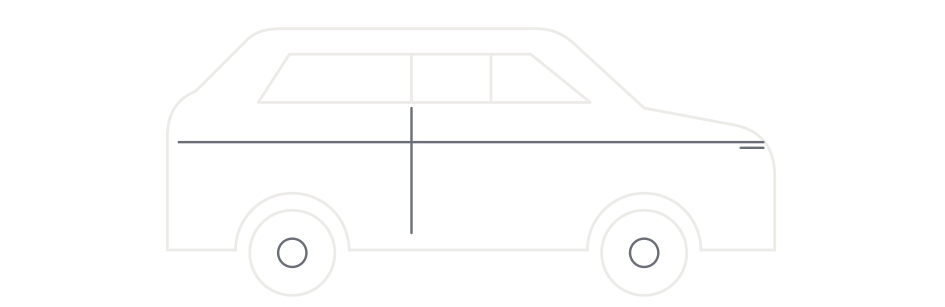
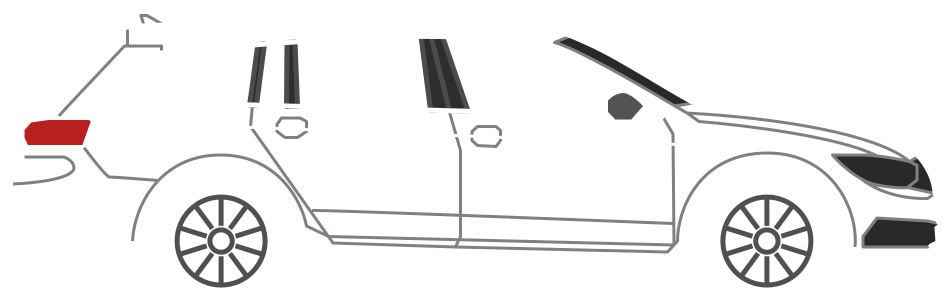
Car models that many people ask for, we add for everyone, so the next person with the same car gets it straight away.
Ask for your house and car on the waitlistHow it works
The tablet does the work.
No hub to buy and no server to keep running at home. The tablet fetches the data itself and keeps the history on the device.
- 01
Get the tablet out
An old iPad or Android tablet is enough. iPads from 2013 and later work. If you don’t have one, or yours is too old, we can send one.
- 02
Log in to what you have
Open hemos.app, add it to the home screen and log in to your electricity, heating, EV charger or alarm. Nothing to download.
- 03
Put it up in the hallway
Keep it on charge. If the tablet is old, HemOS takes it a little easier, so it can keep going around the clock.
No tablet, or too old?
We’ll send one that works.
When we open, you can get a used tablet that we have tested with HemOS, at a lower price, or a new one. Both can come with a wall mount, and if you already have a tablet that works, we can send just the mount. Let us know when you join the waitlist.
What it costs
The basics are free.
Everything that doesn’t need a login is free. The connections to your services, and what we draw and send you, are added when you want them.
The basics
Free
- The clock and the weather
- The kids’ clothes for the weather
- The electricity price in your price area, per 15 minutes
- The weather chart, past and ahead
Add-ons
Set before we open
- Your services: alarm and locks, EV charger and car, sun and battery, heating
- Your house, the floor plans and the car, drawn
- A tablet and a wall mount
People on the waitlist hear the price first, and decide for themselves if they want anything.
The waitlist
Join the waitlist.
We’re opening across the Nordics, a few homes at a time. All we need is your email and which tablet you have. Then, with a few taps, you can tell us what you want: a tablet, a wall mount, your house and your car. You don’t buy anything now.
Questions
Good to know.
What do I need?
An iPad or Android tablet, Wi-Fi and a charger. No hub and no server at home. If you don’t have a tablet, we can send one.
Does it work without kids at home?
Yes. Without kids, you turn off the morning view, and the screen shows the house all day: the weather, the electricity price, the heating, the alarm and the car.
Will my old iPad work?
iPads from 2013 and later work. The oldest ones, iPad Air and iPad mini 2 and 3, take it a little easier. If yours is older than that, we can send a newer one. When you join the waitlist, you pick the model and get an answer straight away.
Can you send a tablet?
Yes, when we open. Either a used one that we have tested with HemOS, at a lower price, or a new one. Both can come with a wall mount. If you already have a tablet, we can send just the mount. Let us know when you join the waitlist.
How does it go on the wall?
In a wall mount we can send you, or one you already have. The tablet should stay on charge, so it needs a power outlet nearby.
Is the screen on all night?
The tablet is on day and night, like a clock. You set the brightness in the tablet’s settings.
Where do my logins end up?
The tablet fetches most things itself. Tibber, Ngenic and CheckWatt log in from the tablet, and those details stay there. Sector Alarm and Zaptec don’t let a browser in, so those two go through our server in the EU. There, the login is never written to logs, and the server only reads: it never disarms the alarm, never unlocks a door and never starts charging. It’s a good idea to use a separate user for the screen. If you remove it or change the password, the connection stops right away.
Can anyone see when we’re not home?
The alarm and the doors show on the screen in your hallway. The connection to our server needs a key that only your tablet has, and we don’t sell any data.
What happens if a service or the internet goes down?
Then HemOS says that this part has gone quiet and since when, instead of showing old numbers as if they were current. The rest of the screen keeps going, since the tablet fetches most things itself.
What if my electricity provider, alarm or EV charger is missing?
Pick it when you join the waitlist, or write it at the end. We build a new connection when enough people have asked for the same one.
What does it cost?
The basics are free: the clock, the weather, the kids’ clothes and the electricity price in your price area. Connections to your services, your own drawings and the tablet come as add-ons. The price of the add-ons is set before we open, and people on the waitlist hear it first.
Why a waitlist?
We want it to work in every home we open for, so we take a few at a time. The waitlist also shows which tablets and services you have, so we build what most people need first. It costs nothing to be on it.
Who builds HemOS?
TR8S AB in Sweden. HemOS started as the screen in Tim Brandin’s hallway and has hung there since September 2025.
Installer or energy company? Give your customers the screen in the hallway that shows them the system you set up, every day. How it works for you.